
I recently got this error when trying to add a step in an agent job. What caused it and how did I fix it?
This job originally had 3 steps, and I added two new steps 1 and 2. Everything looks good, so I click OK.

I get this warning box saying: WARNING: The following job steps cannot be reached with the current job step flow logic:
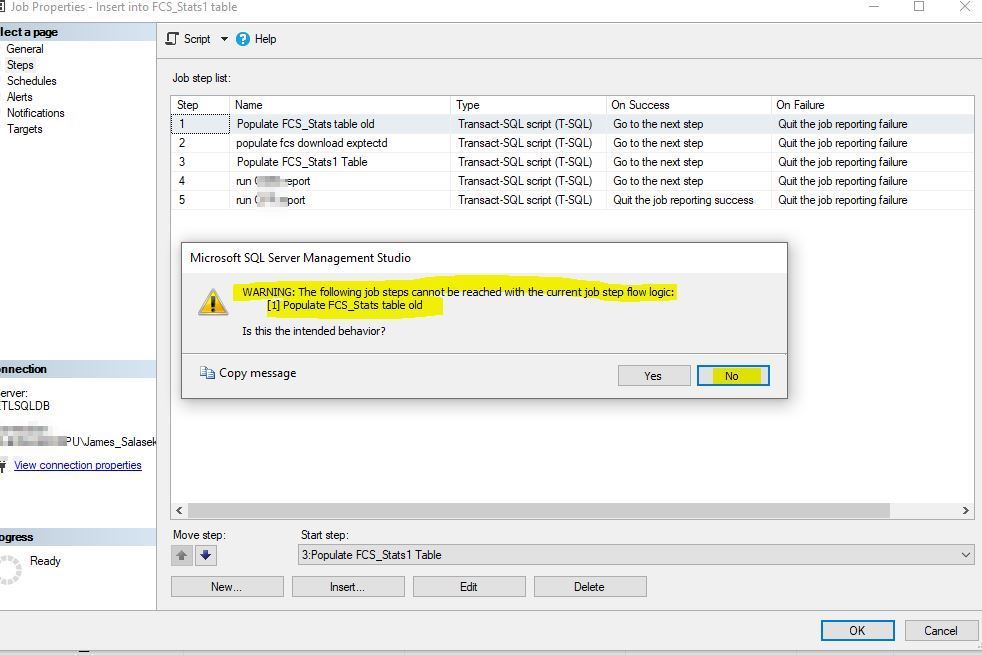
It is telling us that there are 5 steps, but currently the “Start Step” says to start at step 3, which was originally step 1 before I added two steps before it. Click No since this is not the intended behavior.
All we need to do is change the Start Step from 3 to 1. Click the drop down and select step 1 as the start step.
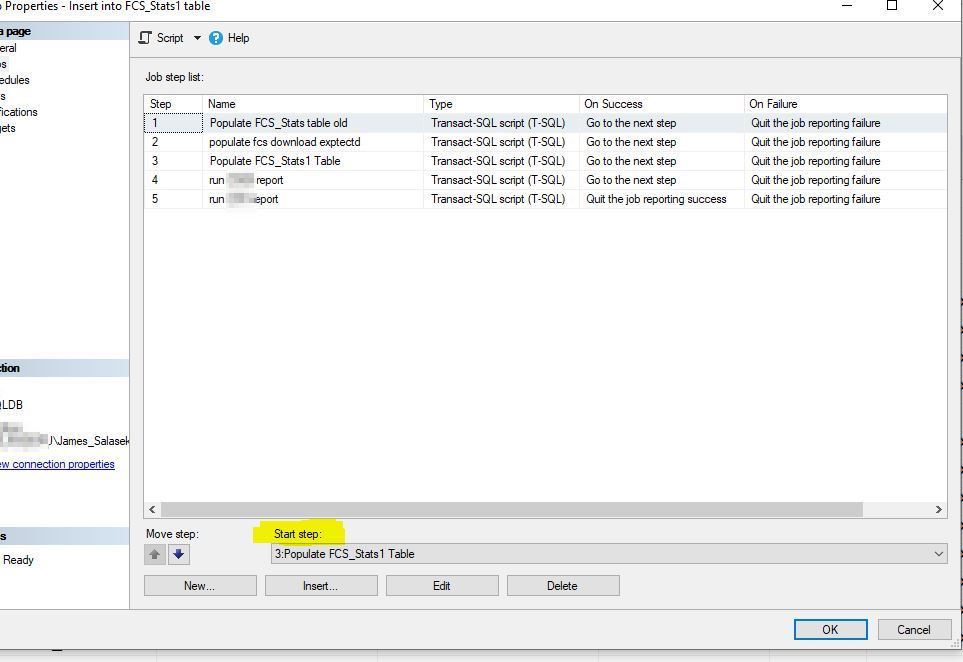
After we select the correct Start Step, we can press OK, and we will not get the warning box and longer.

This was a helpful message from the agent and if I did not get the warning, I may have missed that the job would not have run all of the correct steps. Thank you!
 Jim Salasek's SQL Server Blog